Caffeinated Bitstream

Bits, bytes, and words.

Posts

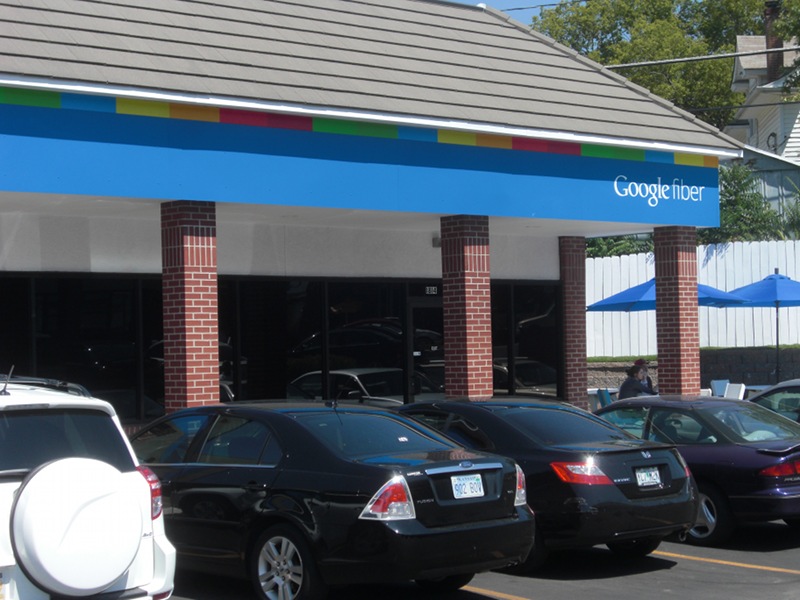
While finishing up my holiday travel, I decided to stop in for a couple of days at the Kansas City Hacker House, a place for aspiring technology entrepreneurs to live and work on their projects while connected to the Google Fiber gigabit network. Unlike my previous Google Fiber experience, I had an opportunity to plug my laptop directly into the network via gigabit ethernet and run some more tests.

Legacy Tests

I first ran a few tests of legacy network usage -- uploading and downloading large files from various services.


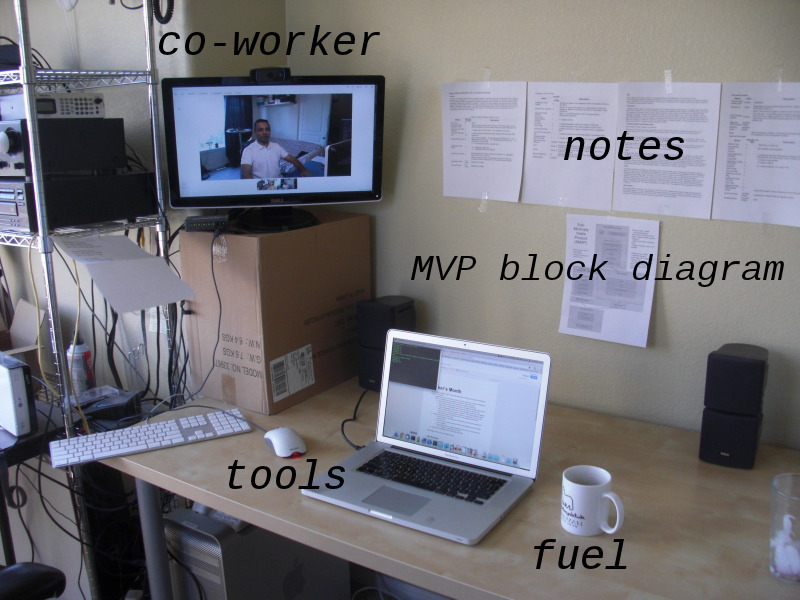
My work and telepresence setup.

As a work-from-home software engineer, I'm always looking for ways to improve communication with co-workers and clients to help bridge the distance gap. At the beginning of October, a colleague and I decided to devote the month to an extreme collaboration experiment we called Maker's Month. We had been using Google Hangouts for meetings with great effectiveness, so we asked ourselves: Why not leave a hangout running all day, to provide the illusion of working in the same room? To that end, we decided to take our two offices -- separated spatially by 1,000 miles -- and merge them into one with the miracle of modern telecommunications.


A quick survey of C++11 feature support

I recently conducted a quick-and-dirty survey of C++11 (formerly known as C++0x) features available on various platforms and compilers that I had lying around. My testing was not authoritative nor rigorous. (For example, g++ without -std=c++0x actually compiles lambdas without throwing an error, so I marked it as supported even though it does give a stern warning.) I'm posting the results here, mostly for my own future reference.

Mac OS 10.6 / Xcode 4.2
gcc version 4.2.1
Apple clang version 3.0
Ubuntu 12.04
gcc version 4.6.3
Ubuntu clang version 3.0-6ubuntu3
Windows 7
MSVC++ 2010
g++ clang++ clang++ -std=c++0x g++ g++ -std=c++0x clang++ clang++ -std=c++0x cl.exe /clr
__cplusplus 1L 1L 201103L 1L 1L 1L 201103L 199711L
__GXX_EXPERIMENTAL_CXX0X__ undef undef 1 undef 1 undef 1 undef
omit space in nested template ">>" X X X X
std::tr1::shared_ptr X X X X X X X
std::shared_ptr X X X
nullptr X X X X
auto X X X X X
uniform initialization X
for range (foreach) X X X X X
move semantics (std::move) X X
raw string literals X X
encoded string literals X X
noexcept X X X
constexpr X X X
variadic templates X X X X X X
lambdas X X X
decltype X X X X
new function declaration style X X X X
scoped enums X X X X
std::function X X X
std::tr1::function X X X X X X X
can autodetect need for std::tr1 X X X X X X X X

Other, probably more thorough information about C++11 feature support:


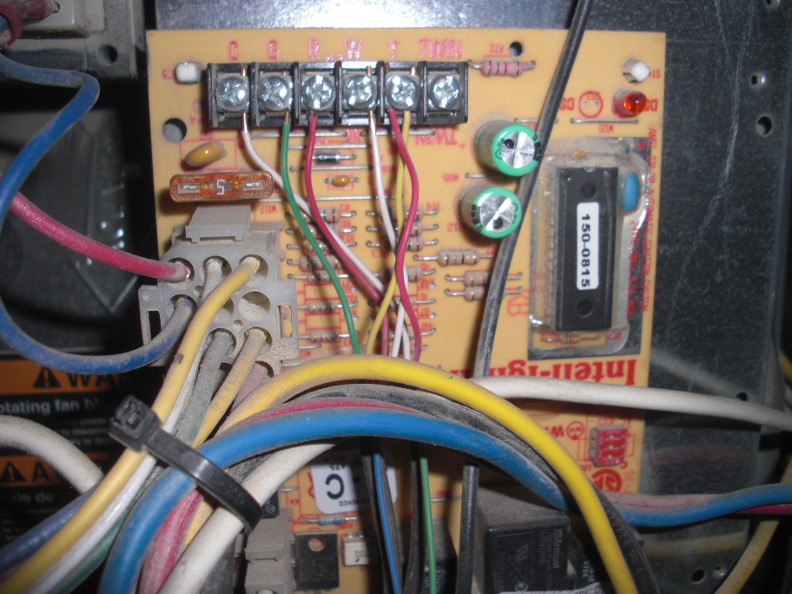
My furnace's control board. The "C" terminal has no connection to the thermostat in this picture. (The white wire on the C terminal goes to the A/C.) I connected the unused blue wire (bottom center) to the C terminal.

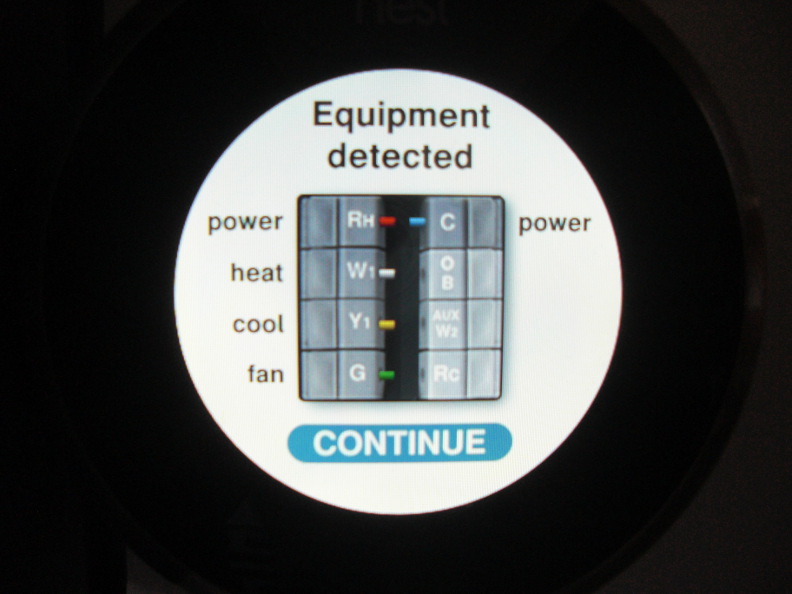
The Nest now confirms the active "C" wire.

I recently bought and installed a Nest Learning Thermostat to replace my old non-networked thermostat. I show the installation, demonstrate control from mobile devices, and provide a general review in the above video.


A Technical Look at Google Fiber

While visiting Kansas City recently, I decided to investigate Google Fiber, Google's ambitious new residential gigabit Internet service they are building in Kansas City, Kansas, and central Kansas City, Missouri. While they haven't connected residential customers to the network yet, they have provisioned service at several local businesses. They also opened a showroom called "Fiber Space" to demonstrate the service to potential customers.

My first stop was the Mud Pie Vegan Bakery and Coffeehouse, a neat coffee house in a historic area of Midtown Kansas City. Mud Pie has the Google Fiber hookup, which customers can use via Wi-Fi or the ethernet-attached Chromebooks which Google has provided. I tried to convince the barista to let me borrow the ethernet connection from a Chromebook so I could test the fast path, but he declined due to Google not wanting people to interfere with their hardware in such a way. However, I found I was able to accomplish most of my investigation goals using a combination of my laptop on Wi-Fi and the wired Chromebooks. I ended up hanging out at Mud Pie for several hours, running tests and chatting with the barista and customers.


Last year, I wrote an Android app called Valence that allows the user to remote-control the mouse and keyboard of another machine. Always looking for new challenges, I recently decided it was time for Valence to broaden its horizons beyond Android and support additional platforms to reach a wider audience.

In the following video, I demonstrate this exciting new release:

Yes, it's Valence for the Commodore 64. Now you can control your home theater PC easily and reliably from any C64 you happen to have handy. The source code for Valence64 is available on my GitHub under an Apache 2.0 license — bug fixes and feature patches are gladly accepted.


Lua and Squirrel overhead

I've been researching the idea of using embedded languages in mobile applications as a way of reusing business logic across platforms. I haven't found a lot of information about how much an embedded language will bloat an app's size, so I decided to see for myself. So far, I've written simple "Hello, world" apps for both Lua and Squirrel. Lua is a simple language that has been heavily used in video games for years. Squirrel is a newer language that was inspired by Lua, but uses a more C-like syntax.


I'm trying out Ubuntu 11.10 (Oneiric Ocelot) on a PC with a Mac keyboard attached. I made a few hacks to make the keyboard work smoothly and in a (very roughly) Mac-like fashion. I figured I'd make a few notes here for my own future reference. (Note: I'm using a U.S. keyboard. If you are using a different kind of keyboard, your mileage may vary.)

Goals

  1. Make the function keys (F1..F12) work as function keys without needing to hold down the Fn key.
  2. Use Mac-like keyboard shortcuts for window navigation (Cmd-Tab, Cmd-`) and the terminal (Cmd-C for copy, Cmd-V for paste).
  3. Avoid stepping on Unity's use of the Super key (i.e. the command key on Macs and the Windows key on PC keyboards).
  4. Use the legacy Caps Lock key for something useful.

The plan

  1. Change a driver parameter to enable use of the function keys without holding down the Fn key.
  2. By default, the keyboard's left and right command keys are mapped to Super_L and Super_R. Map these instead to the seldom-used Hyper_L and Hyper_R keysyms. (If you try to use the Super keys for shortcuts, the Unity dock will appear every time you hold down the command key. It's really annoying.)
  3. Map the Caps Lock key to Super_L so it can be used for certain Unity shortcuts.

Making function keys work

Create a file in /etc/modprobe.d which sets the fnmode parameter of the hid_apple driver to 2 = fkeysfirst:


Apple Remote Desktop quirks

While developing Valence, an input-only Android VNC client for remote controlling a computer, I've encountered several notable quirks in Apple Remote Desktop, Mac OS's built-in VNC server. Apple Remote Desktop (ARD) is based on VNC, a system developed in the late 1990's for controlling a remote computer, and its Remote Framebuffer (RFB) protocol. Generally, standard VNC clients can interoperate with ARD. An ARD server reports use of version "3.889" of the RFB protocol, which isn't a real version of RFB, but this version number can be used by clients to know that they are talking to an ARD server and not a conventional VNC server.


Rapid DHCP Redux

I was surprised at the amount of attention attracted by my recent post,"Rapid DHCP: Or, how do Macs get on the network so fast?". Between the 27 comments on my post and the 180 comments on Hacker News, a lot of interesting insights surfaced about the Mac's approach to DHCP. Information that would have taken me a week or two to research arrived within hours from people with experience in these matters. Here are some of the highlights: